Hello,
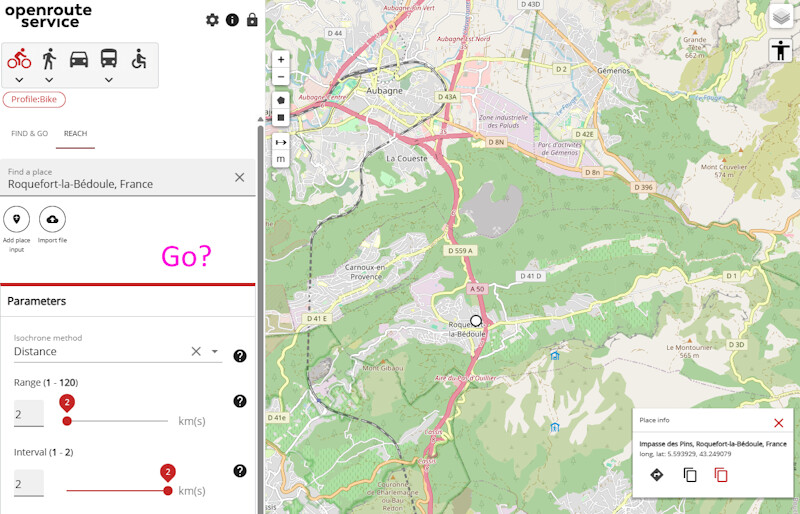
It might be obvious… but I can’t find how to tell ORS to actually draw the map after I typed a location/clicked on the map, and filled the Range and Interval fields.
There’s no “Run/Go” button.
Sometimes, it says “The combination of profile, interval and time or distance selected exceeds the maximum supported. Please adjust the values.”
How should I proceed?
Thank you.
PS: As a bonus, is it possible to export the map as a GPX file so I can use it elsewhere?