Routing in routing.heigit.org not working

Hey.

I tried to use the new maps website routing.heigit.org. However, I couldn’t route anything.

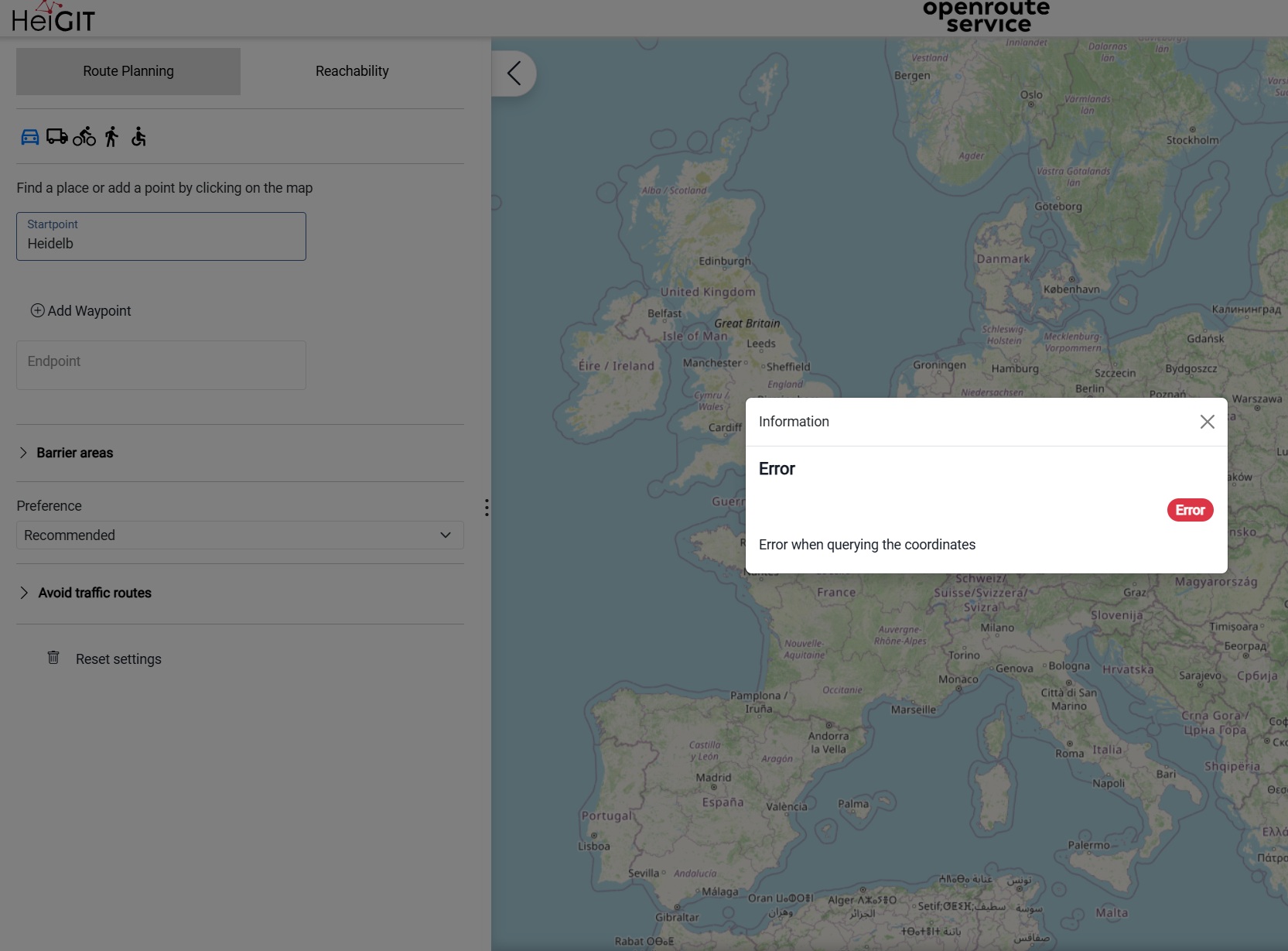
First, I tried to type “Heidelberg” into the “Startpoint” field. But during typing, I got this error message:

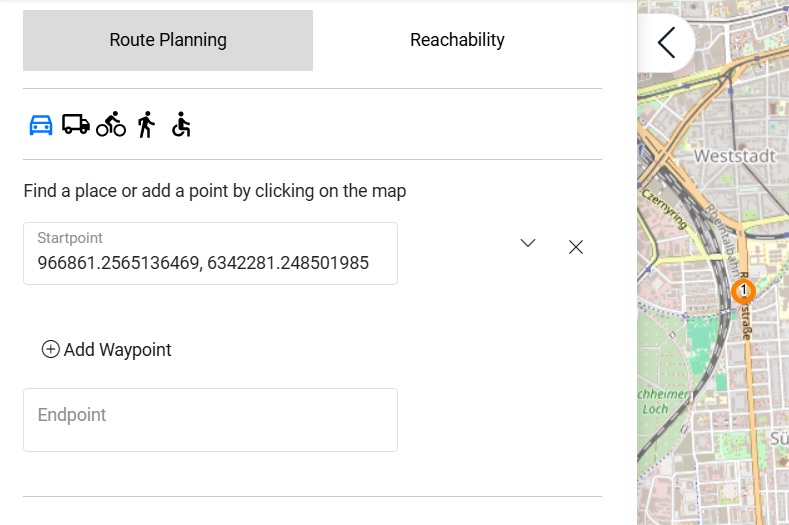
As workaround, I tried to set the startpoint manually via the map (right click → “Add startpoint”). This was successful. The field “Startpoint” now contains the coordinates (UTM instead of Lat/Lon as far as I understand):

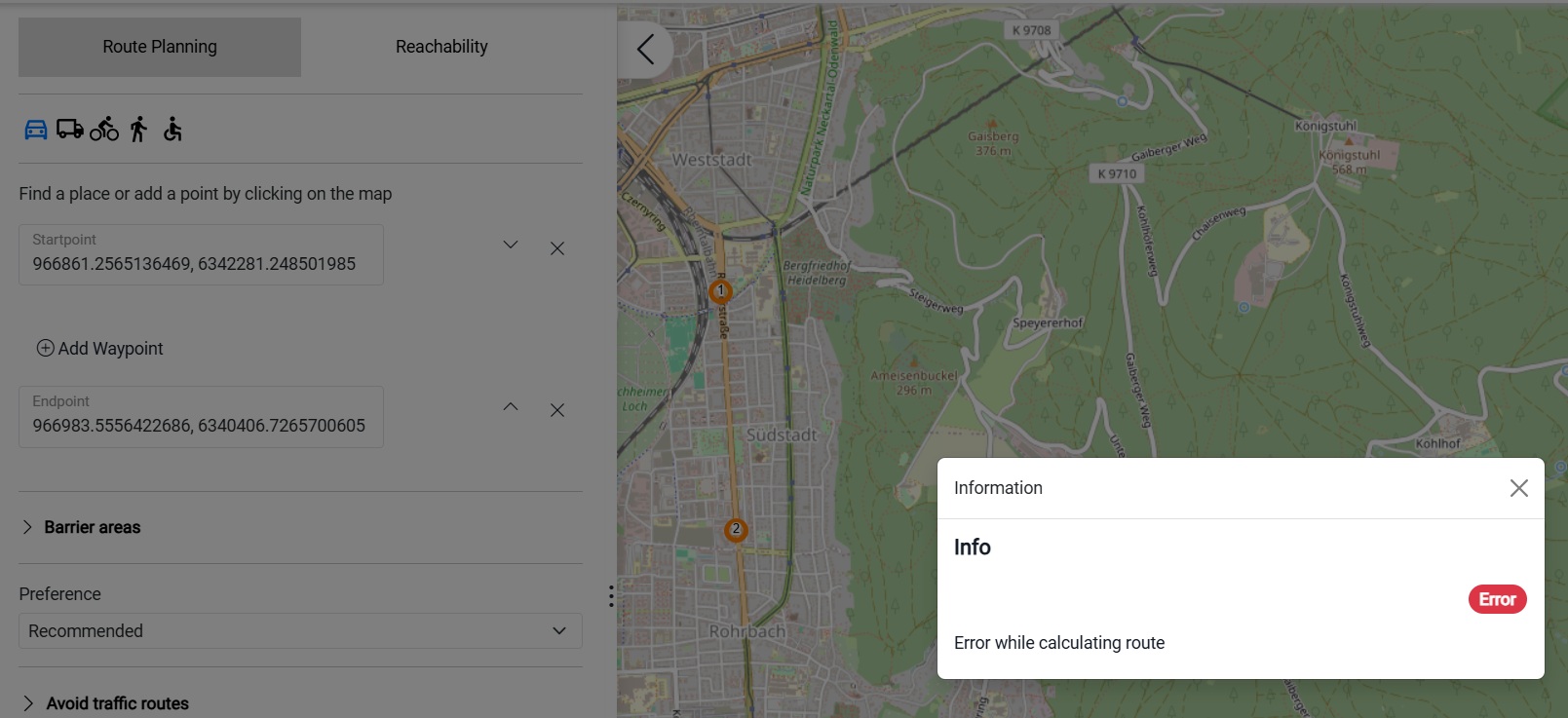
However, when I try to do the same with the Endpoint (right click → “Add Endpoint”), I get this error:

I tried all kinds of points on the map (different roads in different countries, etc.). The error is always the same.

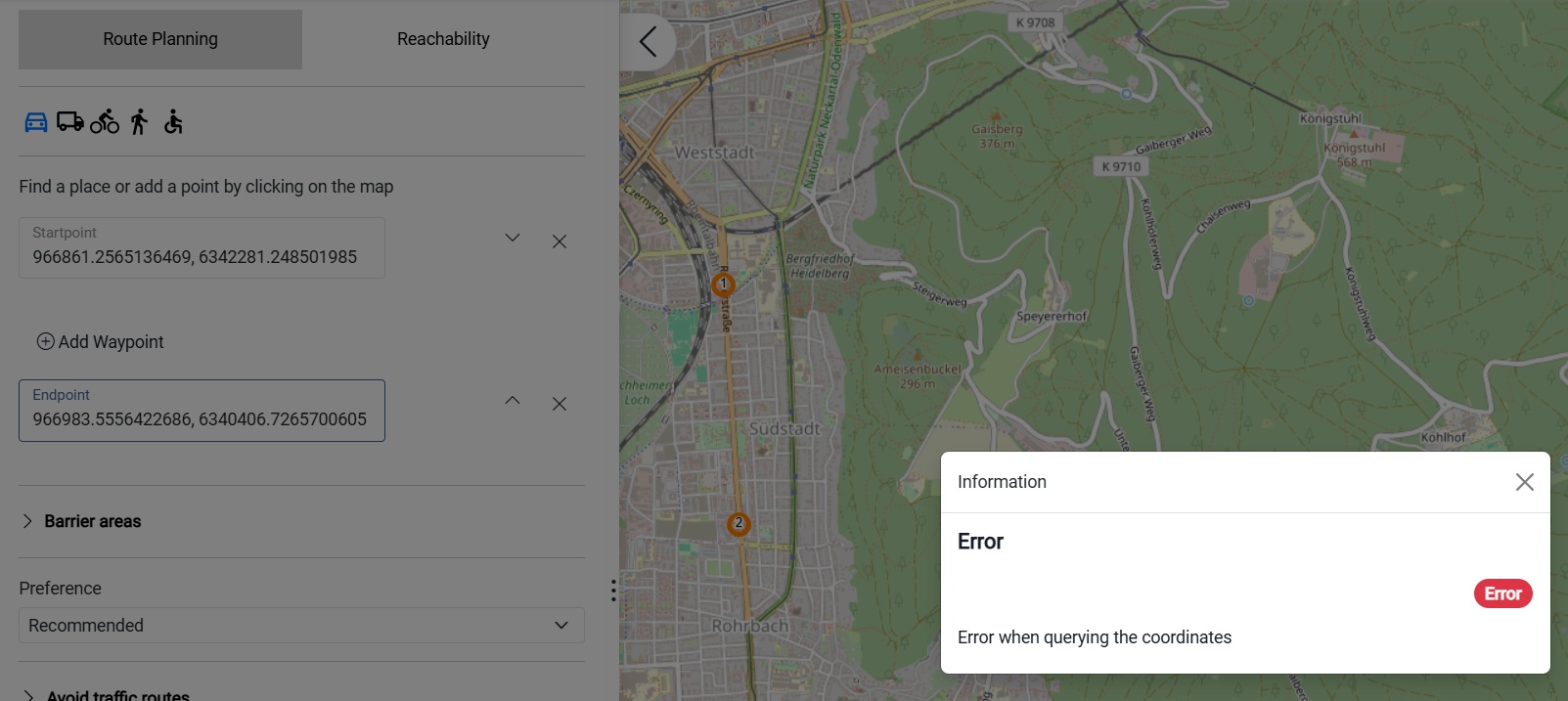
Pasting coordinates into the Startpoint/Endpoint fields seem to cause problems too. If I copy the Endpoint coordinate (of the example above) and paste it again into the Endpoint field, I get a different error:

Hey,

this is a bit unusual, as from my side, everything seems to be working fine.

Could you please try this from a private or incognito Browser tab?

Please note that the geocoding integration is not always behaving in the most intuitive way - you might have to finish typing before results are shown.

Best regards

Thank you! Using “Incognito window” in chrome solved the problems!

However, when using (lon, lat) coordinates in “Startpoint” and “Endpoint”, it isn’t always taking these coordinates. For instance, I tried to paste this into “Startpoint” a few minutes ago: 8.03, 48.33
But it didn’t work. The coordinate was removed automatically from the field “Startpoint” such that the field was empty again. The same happened with “Endpoint”, where I tried these coordinate: 8.455, 48.43
After trying it several times and switching language in the menu in routing.heigit.org from EN to DE and vice versa, it suddenly worked. I don’t know what the problem was. I used the Incognito window.

Thanks for the update.
Please let us know if you encounter further problems.

Cheers
Matthias

Hey,

I can indeed confirm that pasting the coordinate into “Startpoint” and pressing Enter makes the content of “Startpoint” disappear.

When I paste it into “Startpoint” and then just click into “Endpoint” and paste another coordinate, I get a valid route.

@mwstat could you confirm whether this is the case for you as well?

Best regards

@jschnell yes, I can confirm the bug you described. Pasting a coordinate into “Startpoint” and pressing Enter makes the content of “Startpoint” disappear.

Btw, I cannot reproduce the other bugs anymore. Even in normal chrome (without using the incognito mode), the new maps-website seem to work (except the pressing-Enter-bug).

1 Like

I’m not really sure how coordinates should be supplied to fields like “Startpoint” and “Endpoint”. Since it is not possible to use url parameters (see here), we let the users copy coordinates to the clipboard s.t. they can paste the coordinates into “Startpoint” and “Endpoint”. However, we are not sure if “lat,lon” or “lon,lat” should be provided. Both kind of works, but in a weird way.

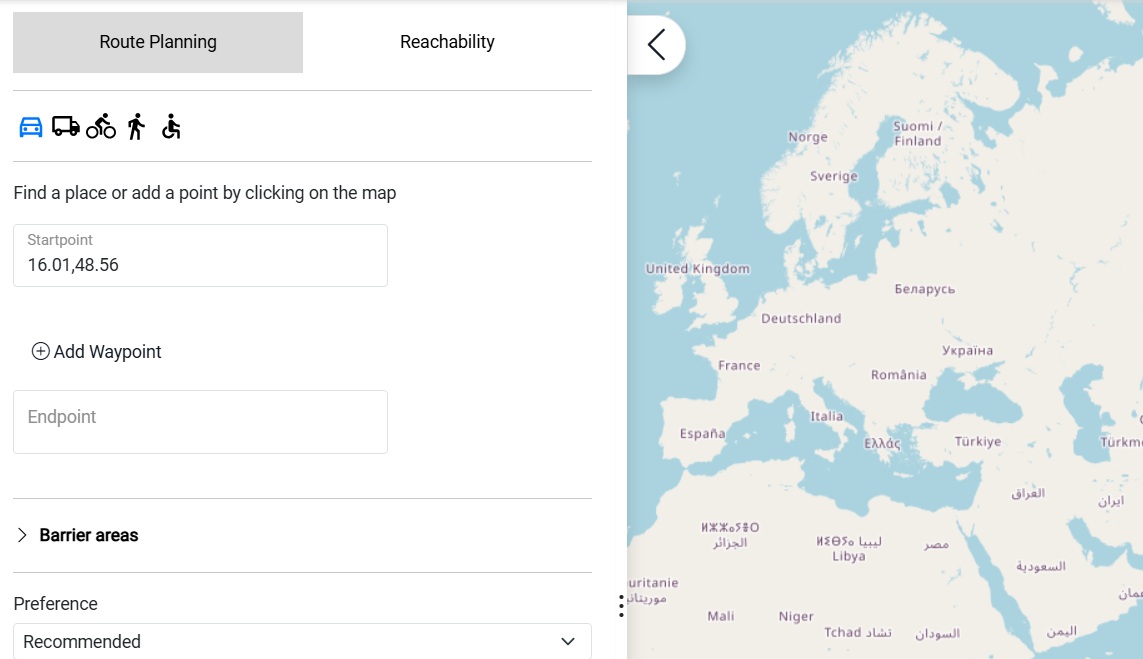
If I copy “16.01,48.56” (without quotation marks) to a field like “Startpoint” and click outside of the field “Startpoint” (to avoid the pressing-Enter-bug from above), nothing happens. No coordinate is shown on the map:

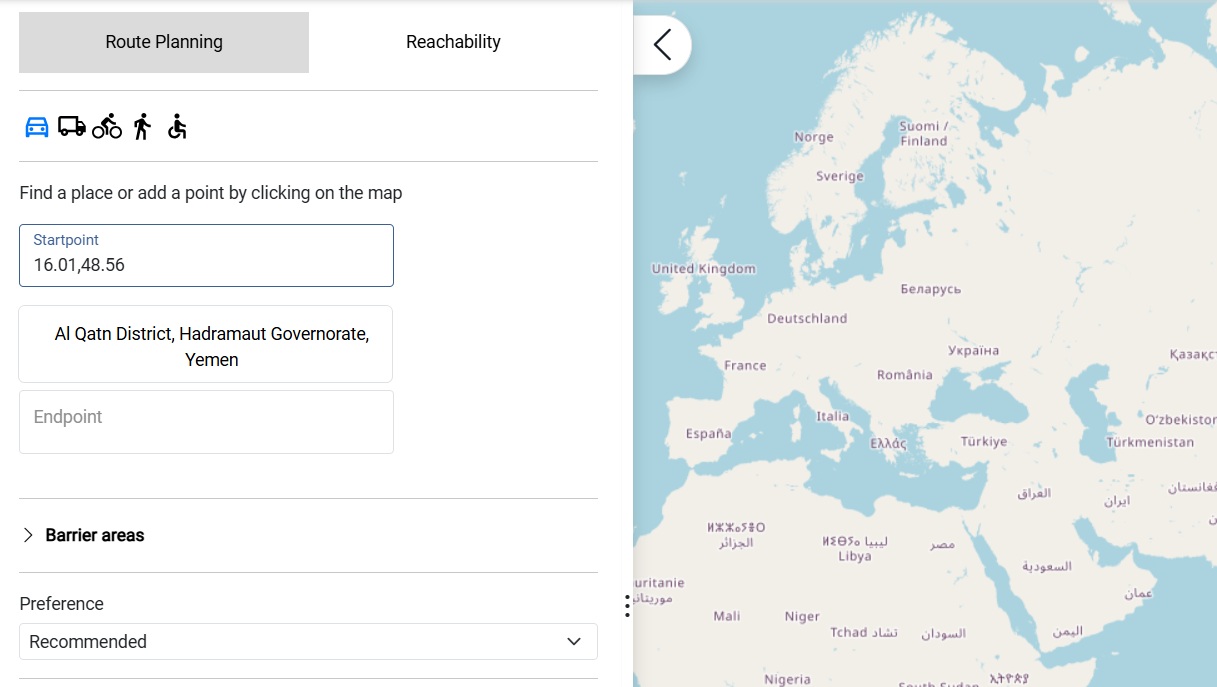
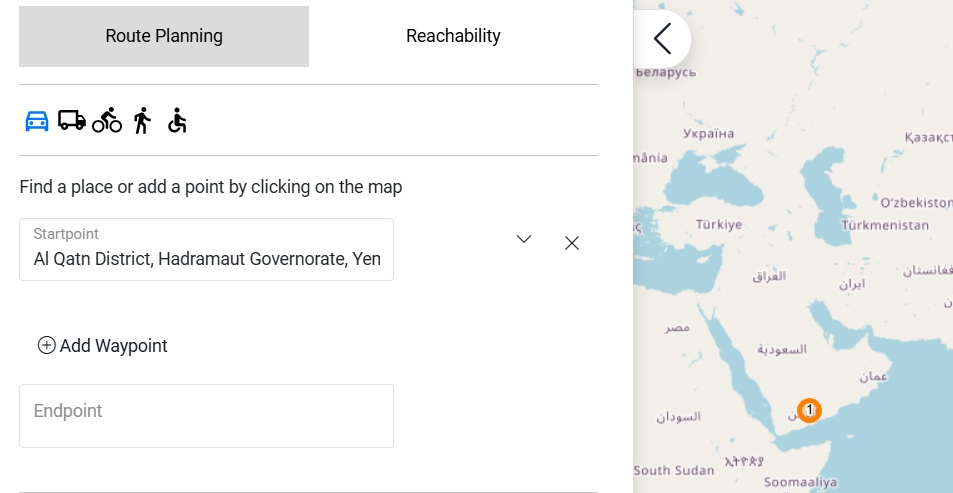
However, when I don’t click outside of the field (or if I put my cursor in the field again after clicking outside of the field), a location in Yemen appears as name:

If I click on that name/adress, the coordinate gets replaced by the name/adress and the location is marked on the map:

I.e., the new maps website seems to want “lat,lon”.

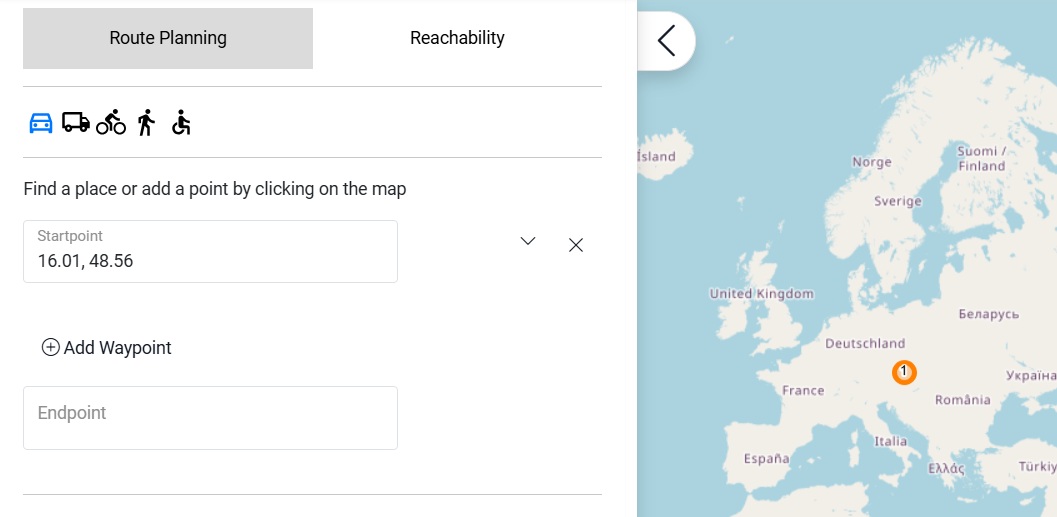
However, if I copy the same coordinate with a space after the comma into the field, the behavior is totally different. As soon as I copy the coordinate (with space after the comma) into the field and click outside of the field, the location is shown on the map and the coordinate is still in the field (it doesn’t get replaced by a name/adress). Also, it is interpreted as “lon, lat”! Instead of Yemen, we are in Austria. Same coordinate, but just with a space after the comma:

Is this a bug or a feature? And if it is a bug, which version is correct? Should it be “lat,lon”, “lat, lon”, “lon,lat” or “lon, lat”?

The best option for me is the current “lon, lat” version where I can just copy the coordinate into the field, click outside of the field and that’s it. I don’t want to select some adress and I like that the coordinate stays in the field without getting replaced by some name/adress.
2 Likes